SeatingAI
Start from your venue's floor plan.
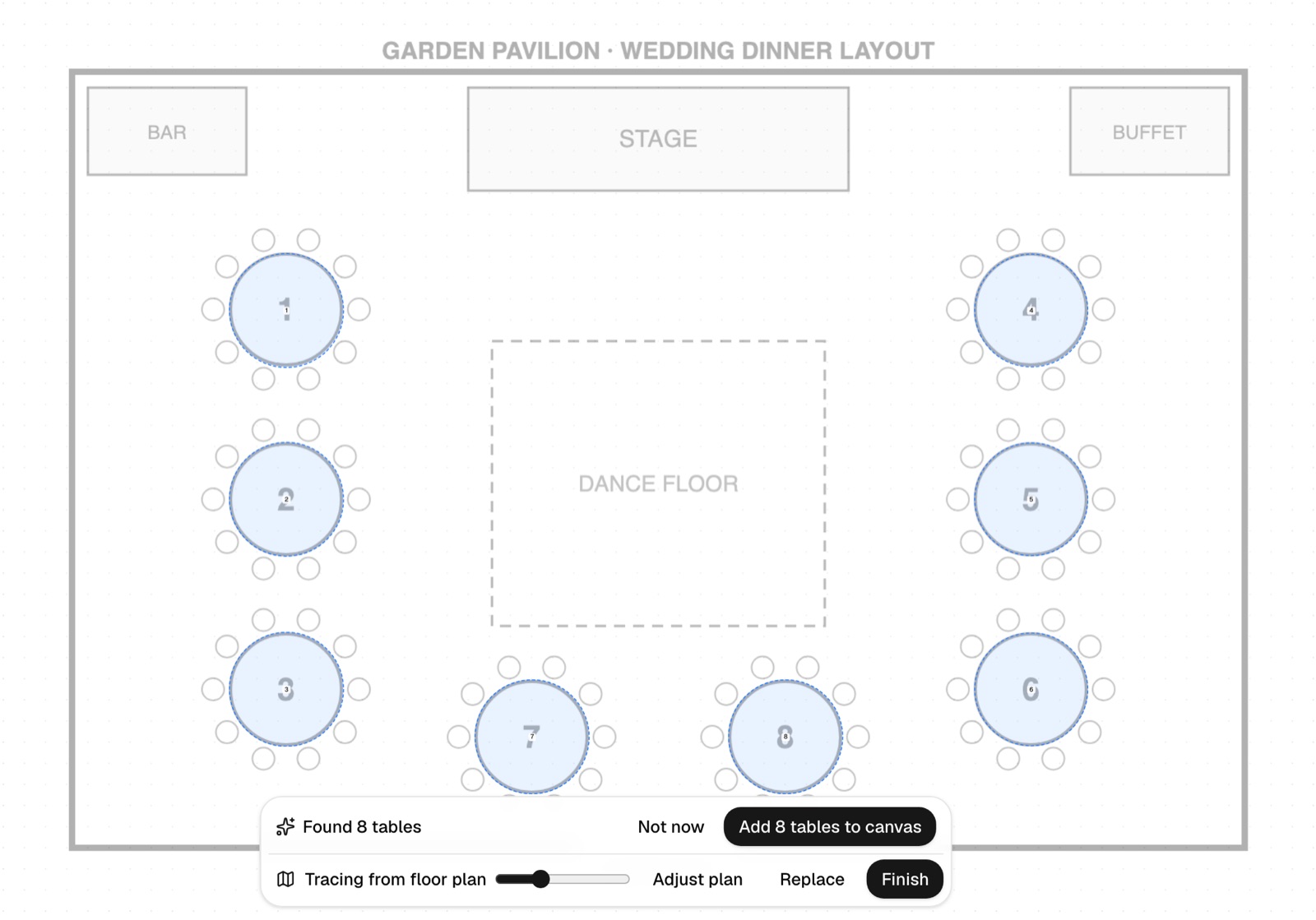
Upload the plan and AI finds the tables. Seated guests move with their tables.
avenly.io's seating planner starts from the floor plan your venue sends you. Upload it and AI finds the tables for you to check. Then drag guests from your guest list onto tables, see meals and baby chairs at a glance, and print the plan by table for the venue. On the day, guests see their table on their own invite once they've checked in. It's free for up to 30 guests. Free includes 10 floor-plan detections per event.
A photo or image of the plan from your hotel or restaurant, as PNG, JPG or WebP.
AI marks every table it finds. Add them to your plan in one tap, or undo and place them yourself.
Drag guests from your list onto tables. Tables are numbered for you, and you can draw in the aisles.
Print the plan by table or by guest, with meal and baby-chair marks that work in black and white.
Real screens from a demo wedding, with made-up guests.
Upload the plan and AI finds the tables. Seated guests move with their tables.
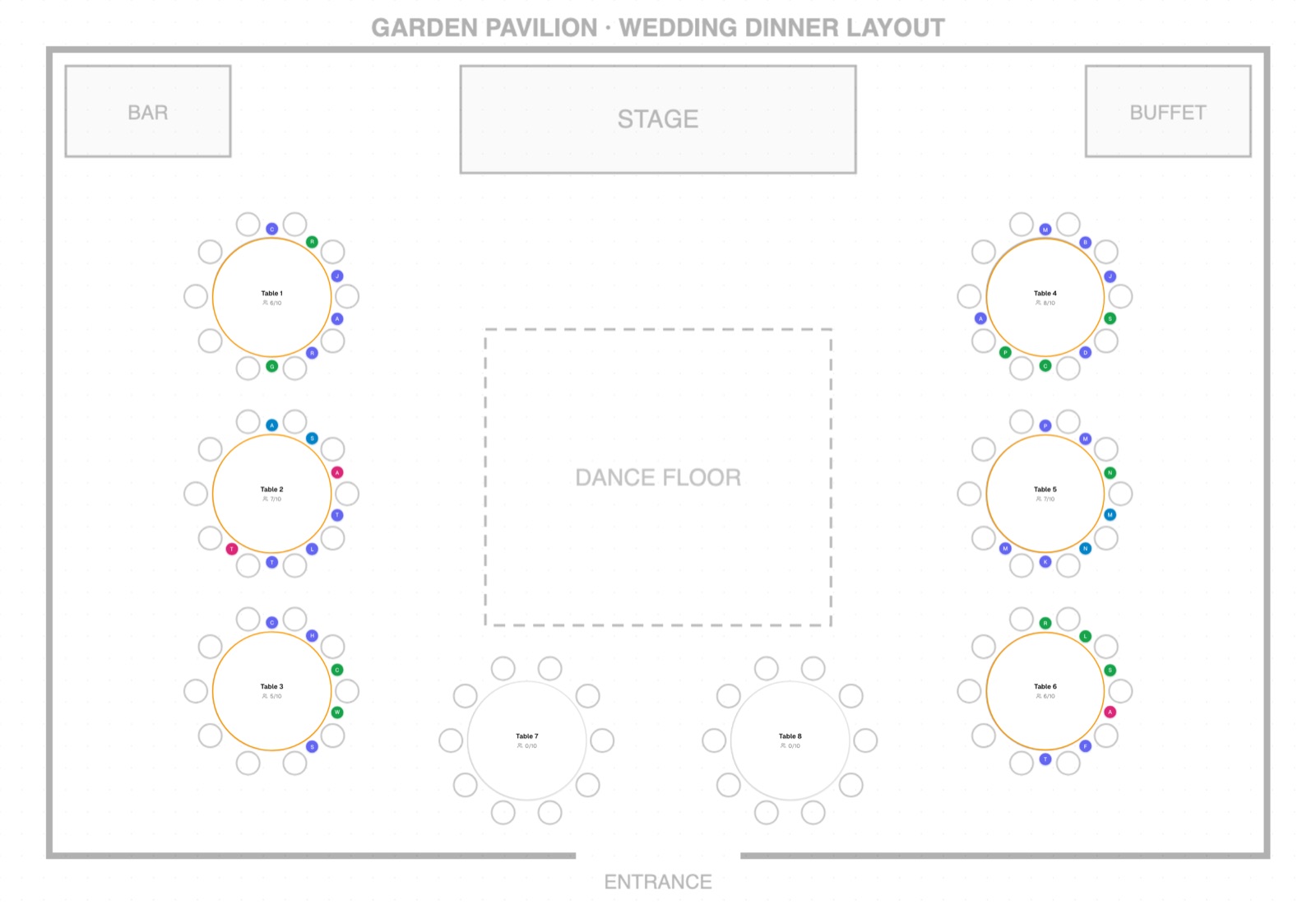
Round, rectangular or square, with the number of seats you need. New tables start at ten.
Each guest's meal shows at their table, so the kitchen count is right per table.
Guests ask for one when they reply, and it's marked on the plan.
Photographers and crew are on the list without taking a seat, unless you give them one.
Move a table on the plan and the guests seated at it move with it.
Once checked in, each guest sees their table name on their own link, in their language.
Start with your venue's floor plan and your confirmed guest list. In avenly.io, upload the plan, let AI find the tables, then drag each guest onto a table and print the plan by table for the venue.
AI finds the tables on your floor plan, so you don't have to draw them. Who sits where is still up to you: you seat guests yourself, because you know which aunties shouldn't share a table.
At most Singapore and Malaysia banquets, a round table seats ten. In avenly.io new tables start at ten seats, and you can change any table's size.
Yes. Print it by table or by guest. Meals and baby chairs are marked with symbols that read in black and white, and you can save it as a PDF from the print dialog.
Yes, on the day. Once a household checks in, their table shows on their own invite link and entry pass.
Yes. Seating is included on every plan, for up to 30 guests on Free. Free includes 10 floor-plan detections per event.
Updated 22 October 2026
Set up your event in a few minutes. Your guests need nothing but the link.